Your thoughts,
in context.
Put everything here. Thread makes it useful — notes, links, files and voice, searchable in an instant, with answers that cite your own sources.
30 days free · no credit card · your data remains yours
- Everything included — no usage limits, no AI credits
- Sync across your devices
- Your data stays yours: read, search and export it any time
- AI optional — local or your own key
You write things down.
Then you can’t use them.
Notes scatter
Ideas live in five apps, three chats and a folder called “misc”. The one you need is never where you look.
Context gets lost
You remember deciding something — not what, when, or why. Last month’s decision quietly contradicts this week’s.
AI makes things up
Chatbots answer confidently from nowhere. You can’t tell what came from your notes and what was invented.
Three steps. Zero filing.
- 01
Put anything in
Type, paste, drop a PDF or image, record a voice note. Saved on your device the instant you hit Enter — no folders to choose.
- 02
Thread connects it
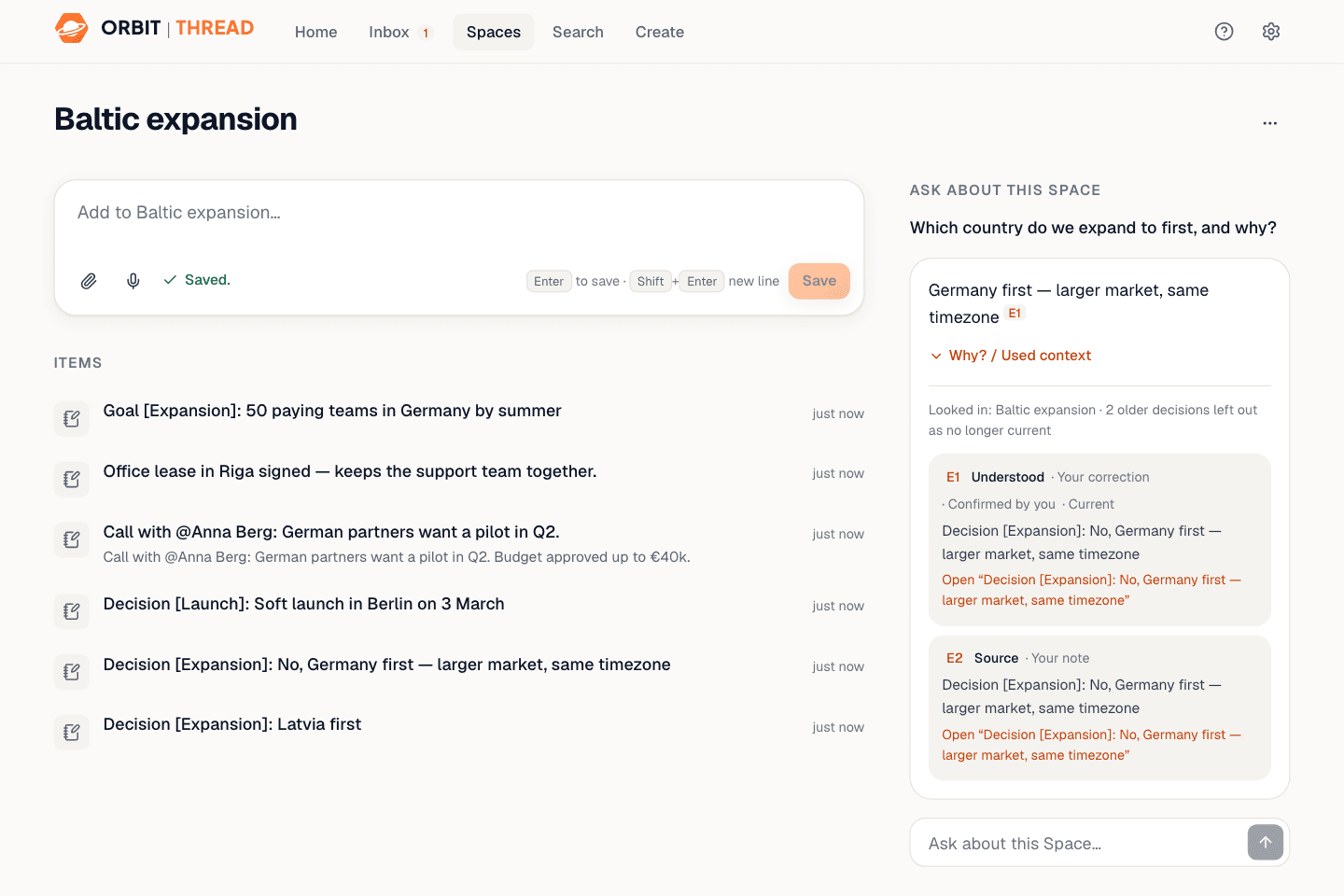
Search indexes every word. People, projects and decisions get linked. Newer decisions supersede older ones — with history kept.
- 03
Ask and check
Ask a question and get an answer built only from your own material — every claim cites its source. Tap “Why?” to see exactly what was used.
Faster than opening
a new note.
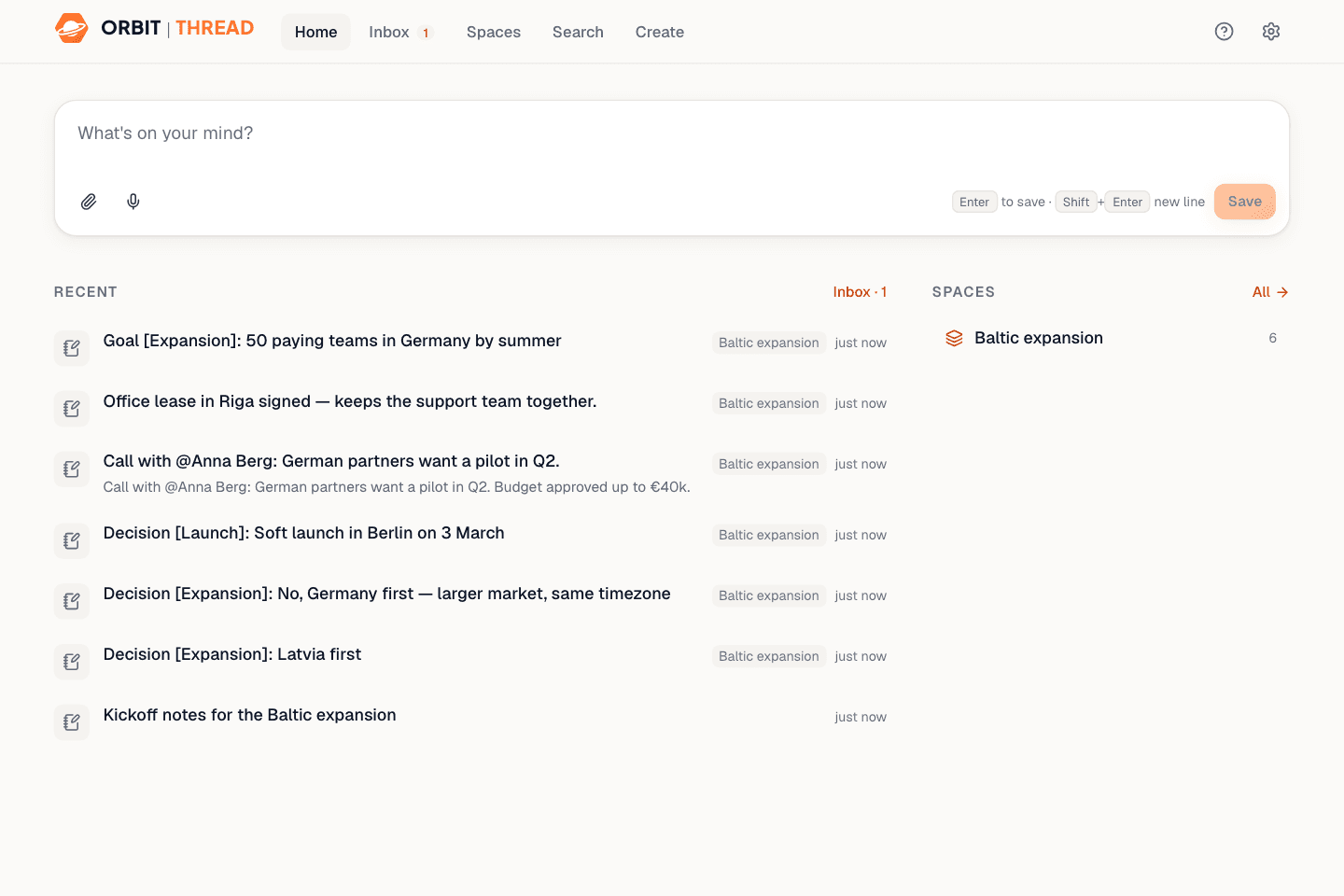
Press ⌘ Shift Enter (Ctrl+Shift+Enter on Windows) anywhere in Thread, type, hit Enter. It’s saved before you’ve let go of the key. Titles, tags, people and summaries appear later, as suggestions — nothing you wrote is ever rewritten.
- Paste links, drop PDFs and images
- Voice notes, saved right next to your text
- Duplicate detection: “You saved this before”
Everything you know,
one search away.
Instant search
Full-text search across notes, documents and extracted PDF text — runs locally in a background worker, even offline.
Answers with sources
Every sentence links back to the note or page it came from. If Thread doesn’t know, it says so.
Memory that tracks change
Write “Decision [Pricing]: …” and Thread remembers it. Change your mind later and the old decision is marked earlier, not deleted.
Documents & canvases
Write long-form documents with headings, tasks and links. Snapshots keep every meaningful version.
Spaces
Group work by project or area. Each Space has its own “where things stand” summary and can stay private to one device.
Offline first
Installs as an app. Capture, search and read with no connection — sync catches up when you’re back online.
Your notes are yours.
Not training data.
Thread is built local-first: the app works fully on your device, and every cloud feature is optional.
Local by default
Everything is stored in your browser’s private storage on your device. No account needed.
Sync only if you want
Sign in to sync between devices. Mark any Space “Keep on this device only” and it never leaves.
No AI unless you say so
AI is off until you pick it. Your notes are never used to train models.
Export everything
One click exports your whole Thread as a portable archive. Restore it anywhere.
Run AI on your own machine.
No AI bill from us.
Thread connects to LM Studio or Ollama on your computer for summaries, tags, semantic search and answers — at no additional AI cost. Prefer a cloud model? Bring your own Anthropic, OpenAI or Google key; it’s encrypted on the server and the provider bills you directly. Your Thread subscription covers Thread itself — Orbit never resells AI.
Set up LM Studio in 5 minutesLocal (recommended)
No AI costLM Studio or Ollama on this computer. Nothing leaves your machine, no additional AI cost.
Your own key
BYOKAnthropic, OpenAI or Google. Billed by the provider, directly to you.
Off
DefaultSearch, capture, documents and memory all work without AI.
Simple pricing. The whole Thread.
Try everything for 30 days. No feature gates, usage limits or AI credits.
Thread
One Thread. Everything included.
€10/ month
or €96/year (€8/month)
- Everything in Thread
- No usage limits, no AI credits
- Local AI or bring your own key
- Sync across your devices
- Offline-first
- Export everything, any time
- 30-day full trial
No credit card required.
Thread Team
Coming soonFor teams who think together.
€15/ user / month
or €144/user/year (€12/user/month)
- Everything in Thread
- Shared workspaces
- Roles & permissions
- Team memory
If you don’t subscribe, your Thread remains yours: read it, search it, export it. Prices include VAT where applicable; payments via Paddle. AI provider costs (only if you use your own cloud key) are billed by that provider.
Questions, answered.
Is Orbit Thread free?
Thread includes a 30-day full trial with every individual feature enabled. After the trial, Thread costs €10/month or €96/year. If you don’t subscribe, your Thread becomes read-only — you can still access, search and export your data at any time.
Do I need a credit card for the trial?
No. You can start the 30-day trial without a credit card. Thread only charges you if you explicitly choose a paid subscription.
What happens when my trial ends?
Nothing is deleted. Your Thread becomes read-only: you can continue to open, search and export everything. Subscribe at any time to continue adding and editing.
Are there usage limits or AI credits?
No. Thread does not meter notes, workspaces, searches or AI prompts as part of the subscription. For AI, you can run a local model or use your own supported provider key. Provider charges, if any, are paid directly to that provider. Normal technical safeguards still apply (for example, a single file can be up to 200 MB).
Does Thread charge for AI?
Thread does not resell AI tokens. Run a supported model locally or connect your own supported provider account/key. Any cloud-model usage is billed by that provider, not by Orbit Thread.
Can I cancel?
Yes. When you cancel, paid access continues until the end of the current billing period. After that, Thread becomes read-only. Your data remains available to read, search and export.
What is Thread Team?
Thread Team adds shared workspaces, roles and permissions, and team memory to the complete Thread experience. It will cost €15 per user/month or €144 per user/year. Team is coming soon — join the waitlist and we’ll let you know when it’s ready.
Can I try Thread without an account?
Yes. Without an account Thread runs locally on one device only — no sync, no trial clock. Create an account whenever you want sync across devices; your 30-day trial starts then, and nothing on the device is lost.
Where is my data stored?
On your device first, in your browser’s private storage. With an account and sync turned on, a copy of your workspace is stored in our EU-hosted database, protected per workspace. Spaces marked “this device only” are never uploaded. Payments are handled by Paddle; we never see your card details.
How do I set up local AI?
Install LM Studio, download a small model, enable CORS in its server settings and start the server. Thread detects it automatically. Our docs walk you through it in five minutes.
Is Thread part of Orbit?
Yes. Thread is the knowledge workspace in the Orbit family, alongside Orbit Cue and Orbit Grow.
Try the complete Thread
for 30 days.
Your data stays yours, whether you subscribe or not.